How to Improve Lead-to-SQL Conversion Rates
Want more qualified opportunities from the leads you already generate? Explore actionable strategies to improve your lead-to-SQL conversion rate and sales pipeline.
 Jude Neilson
Jude Nielson is a Business Development Manager at Callbox Inc, with 12 years of experience driving B2B growth through strategic lead generation and sales development.
View full bio of Jude Neilson
Most B2B marketing teams celebrate when lead volume goes up. Most B2B sales teams look at those exact same leads and groan.
If your marketing team is hitting its MQL targets but your account executives are starving for real opportunities, you do not have a lead generation and appointment setting problem. You have a lead-to-SQL conversion crisis.
Every contact that stalls between “interested prospect” and “sales-ready opportunity” burns cash, inflates your customer acquisition cost (CAC), and creates friction between marketing and sales. Fixing your lead-to-SQL conversion rate is not about capturing more leads. It is about stopping the invisible leaks killing the pipeline you already have. This is why working with the right lead generation agency is not simply about increasing lead volume.
This guide breaks down realistic conversion benchmarks, exposes the root causes of pipeline decay, and delivers a 7-step playbook to convert existing leads into closed deals faster.
Do you want to increase your lead volume and lead quality?
Lead-to-SQL Conversion Benchmarks: What Does “Good” Look Like?
Before optimizing your funnel, you must evaluate your current performance against industry standards. Conversion rates vary depending on lead source, channel, and sales cycle complexity.
| Funnel Metric / Channel | Median Benchmark Range | Top Performer Benchmark |
| Overall MQL-to-SQL Conversion Rate | 13% – 18% | 25%+ |
| Inbound High-Intent (Demo / Pricing Requests) | 30% – 50% | 60%+ |
| Outbound / Intent-Driven Outreach | 10% – 20% | 25%+ |
| Content Downloads / Lead Magnet Inbound | 3% – 8% | 12%+ |
Source: Aggregate B2B SaaS and Tech Industry Benchmark Data.
 Takeaway: If your overall MQL-to-SQL conversion rate falls below 10%, your pipeline suffers from either mismatched qualification criteria, poor data quality, or slow sales follow-up.
Why Lead-to-SQL Conversion Rates Drop (And How to Fix Them)
When prospects fail to advance to SQL status, revenue teams usually point fingers. Sales accuses marketing of delivering weak leads, while marketing claims sales is failing to follow up. The real root causes are structural.
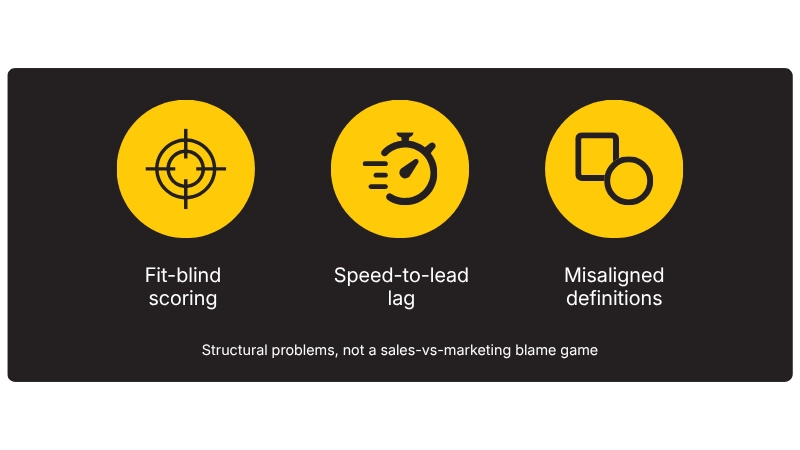
1. “Fit-Blind” Lead Scoring
Traditional lead scoring models over-index on engagement activity, such as downloading a whitepaper or opening emails, without filtering for Ideal Customer Profile (ICP) fit. A student or competitor downloading a PDF gets passed to sales, inflating lead counts while tanking SQL conversion rates.
2. Speed-to-Lead Lag
Sales leads degrade exponentially over time. Research consistently demonstrates that responding to an inbound lead within 5 minutes increases conversion likelihood significantly compared to waiting an hour or longer.
3. Misaligned Lead Definitions
Marketing and sales often define “qualified” in isolation. If marketing flags a lead as an MQL based on a single form submission, but sales requires BANT criteria (Budget, Authority, Need, Timeline) before accepting an SQL, the handoff fails by design.
7 Strategies to Improve Your Lead-to-SQL Conversion Rate
Implement these seven tactical workflows to eliminate funnel friction and convert more existing leads into pipeline opportunities.
1. Establish a Joint MQL/SQL SLA
Marketing and sales leadership must co-author explicit, written definitions for lead qualification. Create a binding Service Level Agreement (SLA) that outlines:
- The MQL Threshold: Explicit firmographic requirements (company size, job title, industry) combined with intent triggers.
- The SQL Acceptance Criteria: Clear discovery milestones like confirmed buying authority, active project timeline, or an explicit pain point.
- First-Touch SLA: A mandatory commitment for sales reps to make initial contact with an MQL within 15 to 30 minutes.
Takeaway: A single, shared qualification document signed by sales and marketing leaders eliminates pipeline friction faster than any software tool.
2. Implement Fit-First Lead Scoring
Restructure your lead scoring model to weight firmographic and technographic fit above behavioral activity. Restructure your lead scoring model to weight firmographic and technographic fit above behavioral activity. Improving lead quality starts with prioritizing prospects that match your ICP rather than allowing engagement activity alone to determine sales readiness.
- Fit Attributes (Static Weighting): Assign heavy positive scoring for exact ICP matches like target job titles, target company revenue, and complementary tech stacks. Deduct points for non-ICP job titles or personal email domains (@gmail.com).
- Behavioral Signals (Dynamic Trigger): Use page visits (like pricing pages or feature comparisons) or intent surge data to trigger lead routing only after minimum fit criteria are met.
Takeaways: Never let engagement points alone qualify a lead. Always require verified ICP fit before an MQL is generated.
3. Optimize Forms and Reduce Form Friction
Long, complex forms discourage high-value prospects, while overly sparse forms invite low-quality submission spam. Strike the right balance using smart forms:
- Limit visible form fields to 3 or 4 core inputs (Work Email, Name, Company).
- Use real-time enrichment tools (like ZoomInfo, Clearbit, or Cognism) to automatically populate company size, industry, and location in the background upon email entry.
- Add self-qualification fields (such as “What is your estimated implementation timeline?”) to help sales prioritize intent.
Takeaway: MCombine short form fields with backend enrichment to capture high intent without sacrificing data depth.
4. Deploy Automated Lead Routing and Instant Scheduling
Manual lead distribution slows down touchpoints and costs conversions. Build real-time routing workflows within your CRM:
- Automatically route inbound MQLs to designated account executives based on territory, deal size, or account ownership.
- Embed instant scheduling tools (such as HubSpot Meetings or Chili Piper) directly on demo thank-you pages so qualified prospects can book an SQL discovery call immediately.
Takeaway: Allowing prospects to self-schedule immediately after submitting a form eliminates the back-and-forth email delay entirely.
5. Require Disqualification Logging in Your CRM
You cannot fix pipeline drop-offs if you do not know why leads are dying. Force sales reps to select a standardized Rejection Reason in your CRM whenever an MQL is rejected:
- Unreachable / No Response
- Unqualified: Wrong Persona / Title
- Unqualified: Outside Target ICP (Company Size or Industry)
- No Current Need / Timing Off
- Competitor Preferred
Takeaway: Review rejection logs monthly with marketing and sales to continuously refine lead scoring rules based on hard sales feedback.
6. Build Multi-Touch SDR Cadences
A single email or cold call attempt is rarely enough to convert a lead into an SQL. High-converting sales teams execute structured multi-channel sequences:
- Channel Mix: Combine cold phone calls, personalized email, LinkedIn engagement, and video messages. Working with experienced B2B appointment setting companies can also help sales teams execute these multi-channel sequences consistently while allowing internal AEs to focus on qualified opportunities.
- Cadence Depth: Structure sequences across 8 to 12 touchpoints over a 14-day window before moving a cold prospect into marketing lead-nurturing workflows.
Takeaway: Multi-channel sequences capture replies that single-channel, email-only outreach routinely misses.
7. Implement “Not-Ready” Nurture Tracks
Not every rejected MQL is a bad lead. Many simply suffer from bad timing. Automatically route leads rejected for “Timing” or “No Current Need” into automated lead-nurturing workflows:
- Deliver value-driven content (such as case studies, industry benchmarks, or product update webinars) every 2 to 3 weeks.
- Use intent monitoring to alert sales reps when a dormant lead re-engages with high-intent content or visits key site pages.
Red Flags Checklist: 4 Pipeline Mistakes Lowering Your Conversion Rate
If your team struggles with low SQL conversion rates, audit your workflow for these four common operational mistakes:
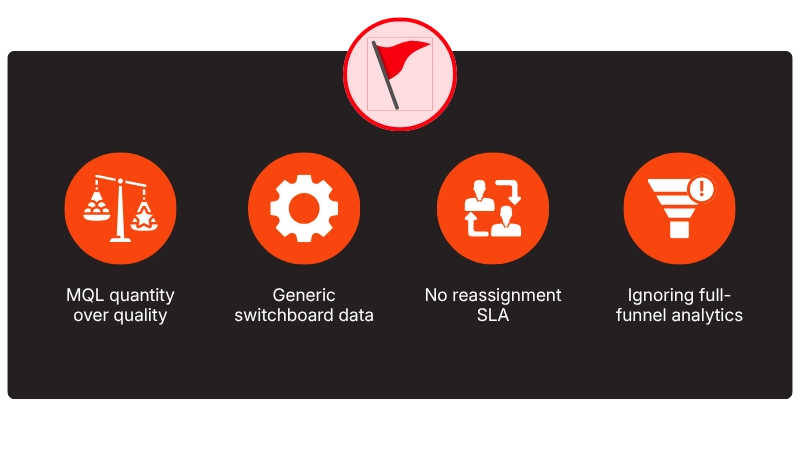
- Measuring Marketing on MQL Quantity Alone: Inflating MQL volume with bad data. Incentivizing marketing teams solely on raw MQL totals encourages lowering qualification bars. This results in inflated lead counts that sales reps ultimately ignore.
- Relying on Generic Switchboard Data: Failing to capture direct contacts. Passing leads to sales with generic company email addresses (info@) or main switchboard phone numbers instead of verified direct-dial phone numbers and work emails.
- Lacking a Lead Reassignment SLA: Dropping the ball on warm interest. Allowing assigned sales reps to leave new MQLs uncontacted for days without automatically reassigning the lead to an active rep.
- Ignoring Full-Funnel Conversion Analytics: Losing sight of pipeline value. Tracking conversion rates in isolation without connecting them back to Customer Acquisition Cost (CAC) and overall closed-won revenue impact.
Conclusion
Improving your lead-to-SQL conversion rate is not about generating more leads—it is about making more of the leads you already have sales-ready. Clear qualification criteria, better lead scoring, faster follow-up, and consistent multi-channel outreach can help eliminate the gaps that cause qualified prospects to drop out of your funnel.
When marketing and sales align around lead quality and conversion, your team can build a healthier pipeline without simply increasing lead volume. The goal is straightforward: fewer wasted leads, more qualified opportunities, and a more predictable path to revenue.
If your team is struggling to turn qualified leads into sales conversations, Callbox can help. Our B2B lead generation and appointment setting approach combines precise targeting, verified data, and multi-channel outreach to connect your sales team with prospects that are ready to talk.
Frequently Asked Questions
What is the difference between an MQL and an SQL?
A Marketing Qualified Lead (MQL) is a contact who has demonstrated interest and fits basic demographic/firmographic criteria, making them suitable for sales review. A Sales Qualified Lead (SQL) is a prospect vetted by sales through discovery or strict criteria who possesses an explicit business need, budget, authority, and intention to evaluate your solution.
How do you calculate MQL-to-SQL conversion rate?
Calculate your conversion rate using this formula:
MQL-to-SQL Conversion Rate(%) = (Total SQLs Accepted / Total MQLs Generated) x 100
Example: If marketing passes 200 MQLs to sales in a month, and sales accepts 36 of them as qualified SQL opportunities, your conversion rate is $(36 / 200) \times 100 = 18\%$.
How fast should sales follow up with an inbound lead?
Top-performing sales organizations target a speed-to-lead time of 5 minutes or less. Contacting an inbound lead within 5 minutes yields significantly higher qualification rates compared to waiting 30 minutes or more.